Did you know that your internet is out of date?
Your browser is out of date, and may not be compatible with our website.
Just click on the icons to download a compatible browser.
By closing this window you acknowledge that your experience on this website may be degraded.

What's new in Niagara?
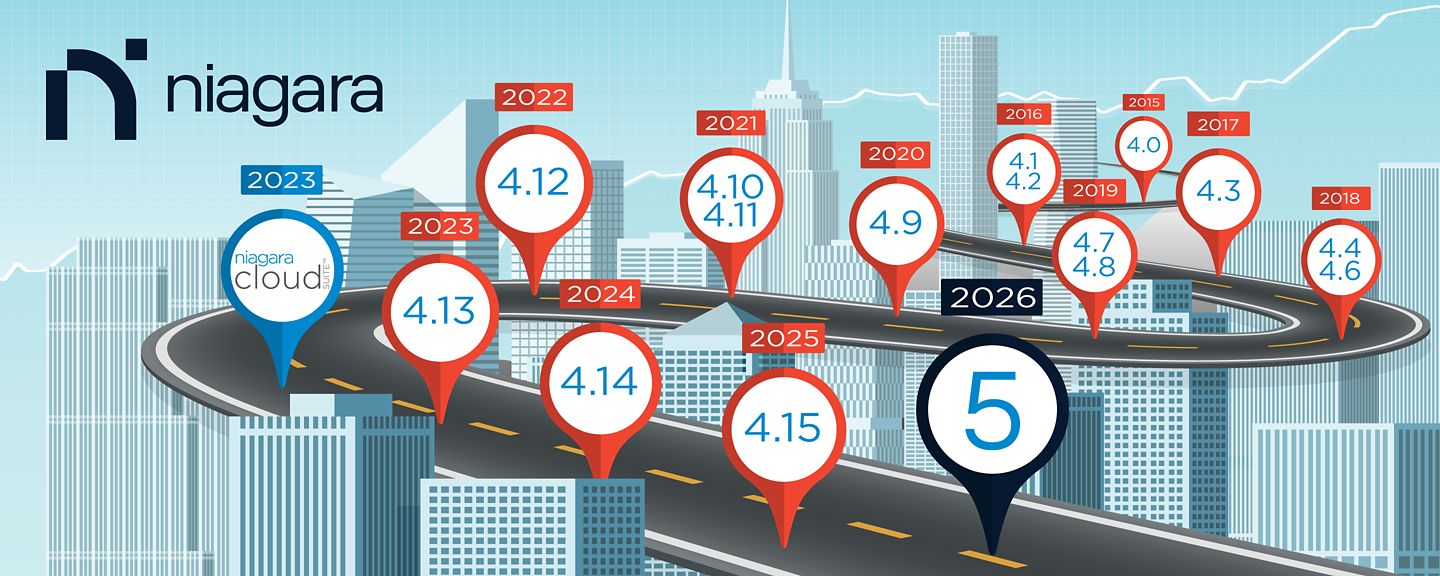
Shown below are some of the features released since the introduction of Niagara 4.
Speak to a Niagara Expert
Niagara 5
- Modernized platform foundation built on Java 25
- Workbench UI/UX enhancements, including Dark Mode
- New Supervisor installation experience with an MSI installer
- Mandatory software module and program code signing designed to help enhance security
- Remote Niagara access directly through Workbench
- Remote Software Management capabilities
- Enhanced Niagara Cloud Suite Portal user experience
Niagara 4.15
- New UX Builder and Relations Manager HTML5 Web Views
- Fox over Websockets
- Common Access Card Authentication for the Browser
- JACE-9000 WiFi
- BACnet Revision 18
- New KitControl Elementary Blocks
- Case Insensitive Usernames for LDAP
Niagara 4.14
- New HTML5 Web Views
- BACnet Protocol Revision 16 Update
- Certificate Signing Service
- Individual and Combined Signing Requester
- Brick Schema Tag Dictionary
- Multi-Tiered Security Dashboard
- GAuth Enrollment Workflow
- New SAML Authentication Type Configuration
- Windows Authentication Mode for MS SQL
- Unit Test Public APIs
Niagara 4.13
- Multi-Tiered SystemDb
- HTML5 Niagara Network Station Manager View
- Certificate Manager Enhancements and HTML5 View
- Containerized Niagara & Subscription Licensing
- Haystack 4 Support
- Modern Authentication Support for Email Service
- Template Improvements
- Enhanced Installer
- SysLog Integration
- Certificate Signing Service
Niagara 4.12
- WebWiresheet 2.0
- HTML5 Niagara Network Point Manager
- HTML5 BQL Builder
- Transform Pane
- Expanded History Character Limitation
- Internationalization Support
- MQTT Azure Authenticator
- HTTP Client Driver
- MSTP Engine Optimization
Niagara 4.11
- Archive History Provider
- WebWiresheet
- Archive Alarm Provider
- BACnet/SC
- Transport Layer Security 1.3
- Interpolate Tail Functionality in WebChart
- Photo ID
- Provisioning Enhancements
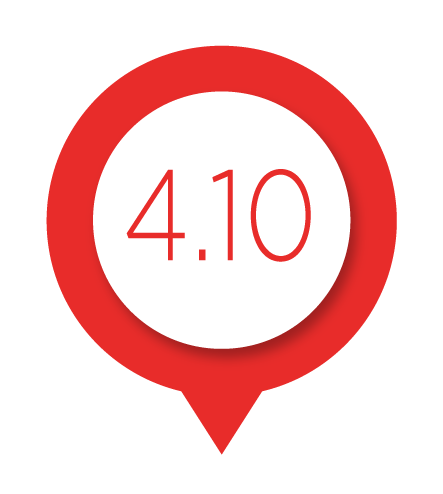
Niagara 4.10
- System DB Support with Tag-Based PX bindings
- UI Performance Enhancements – UxMedia
- Video Surveillance Viewer
- HTML5 Tag Manager
- ACE for Portable Niagara
- Edge Tools Updates
- Bulk Certificate Signing Tool
- MQTT – Google Auth
- Edge Licensing Scheme
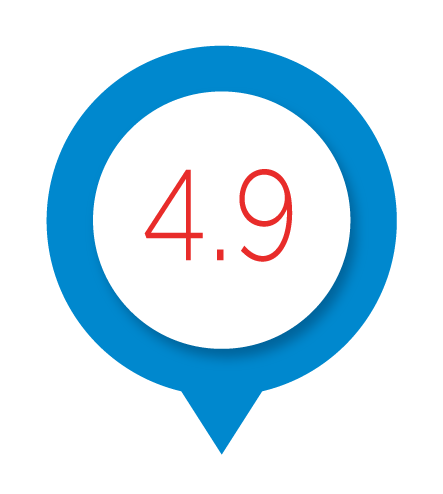
Niagara 4.9
- JSON Toolkit
- Integration with video surveillance
- Single sign on with Niagara as an identity provider
- Enhanced graphics with tag-based visualization
- Edge 10 expanded support for two IO R-34 and ACE
- Module signing
- Niagara proxy service enhancements
- Niagara security history log
- MQTT – AWS Auth
Niagara 4.8
- Security dashboard
- Client certificate authentication
- ACE deterministic runtime
- 802.1X support
- Third party module signing
- Export refresh (CSV,JSON)
- Improved edge tools (template, provisioning, NTP)
- QNX upgraded to release 7.03
- Windows Server 2019 support
Niagara 4.7
- Support for Edge 10 platform
- Enhanced provisioning tools
- Application templates
- Jace as DHCP server
- Niagara WebLauncher added in 4.7u1
Niagara 4.6
- System database
- Mobile refresh for views with dynamic response pane
- Bulk tagging and templating
- Template provisioning
- Certificate management
- Software maintenance agreement reminder
- FIPS 140-2 (Level 1 compliance)
- Red Hat® Enterprise Linux® 7.5 support
Niagara 4.4
- Single sign on (SAML 2.0) with external identity provider
- New HTML5 views, scheduler, alarm console
- Performance improvements
- Server side caching-optimized HTML5 Hx profile
- Updated internal workbench browser
- Haystack dictionary 3.02
- Last build with legacy Jace support
- Niagara analytics 2.1
- Red Hat® Enterprise Linux® 7.4 support
Niagara 4.3
- Backup as a service
- Analytics 2.0u2
- Support for Input-Output remote modules
- Abstract manager framework
- Template Enhancements
- Tag rule index
- Implied tag rule index
- Baja UX field editors
- HxPx improvements
- New browser preview button
- Lightweight directory access control (LDAP) enhancements
- Asset manager tool
- Windows server 2016 support
Niagara 4.2
- Red Hat® Enterprise Linux®
- Analytics 2.0
- Legacy drivers support
- Java web start
- HxPx rendering
- GridTable view
- N4 alarm portal
- Hx view for trigger schedule
Niagara 4.1
- Introduction of JACE® 8000
- Windows 10 compatibility for Supervisor and Workbench
- Capability to port Niagara 4 onto custom hardware
- Help with legacy AX integrations to Niagara 4
Niagara 4.0
- New UX framework (HTML5, CSS3, JSON)
- Bajascript v2.0
- Public application program interface
- Historian database Application program interface (API)
- Scalable vector graphics library
- Niagara Entity Query Language (NEQL) was formed - Used for tagging and search
- Hierarchies
- Dashboards
- New chart user interface
- New property sheet templates
- Module code signing
- Role based access control
- Station conversion tool
- Software maintenance
- Capacity-Based Licensing
